Hi, thanks for this great library!
I’ve run into a peculiar behavior with sfdp_layout. I’m seeing very different results when running it single-threaded vs. multithreaded. I tested this on both v2.97 and v2.98 (conda-forge builds) on macOS with Apple Silicon (M4).
My setup is a bit unusual: I’m using pairwise associations (from DNA sequencing data) to reconstruct 2D positions. For testing, I simulate points uniformly on the unit circle, treat each point as a graph node, and connect each node to all neighbors within some radius d. Then I feed this graph to sfdp_layout and look at the resulting positions. When the average degree is high enough, SFDP typically recovers the circle nicely.
Here’s the issue:
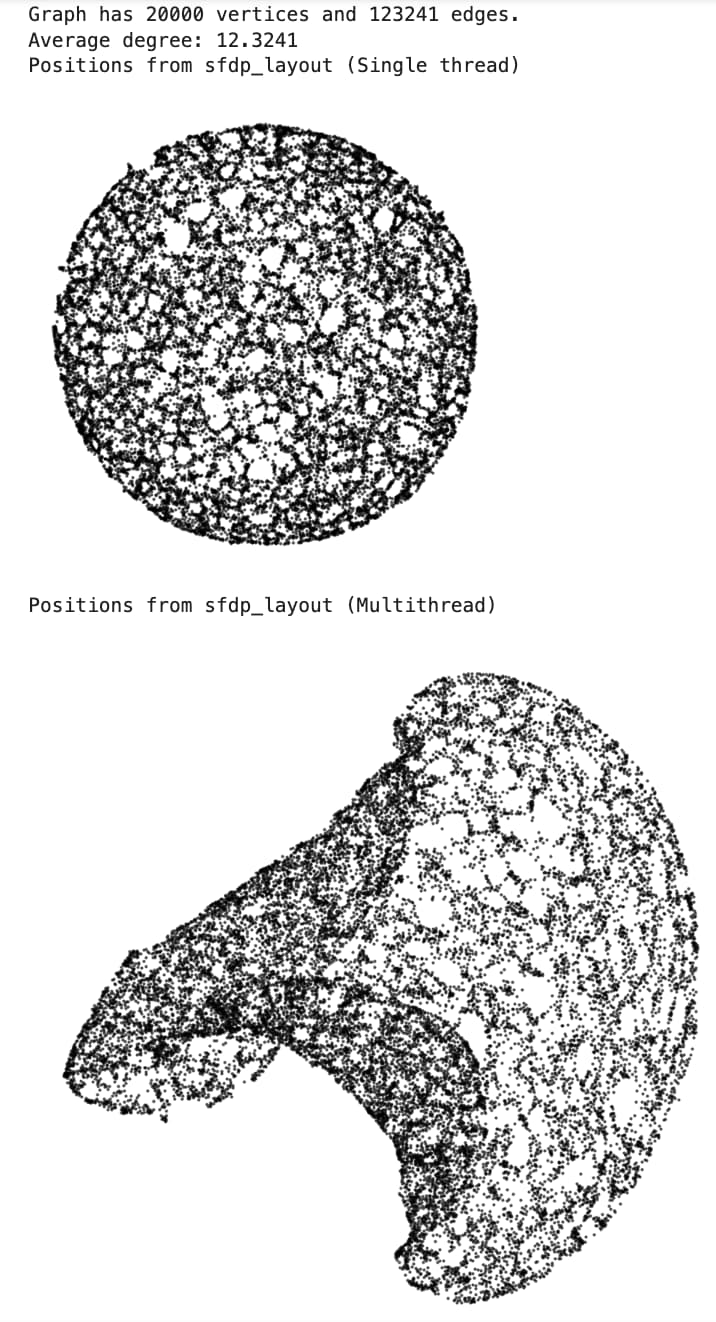
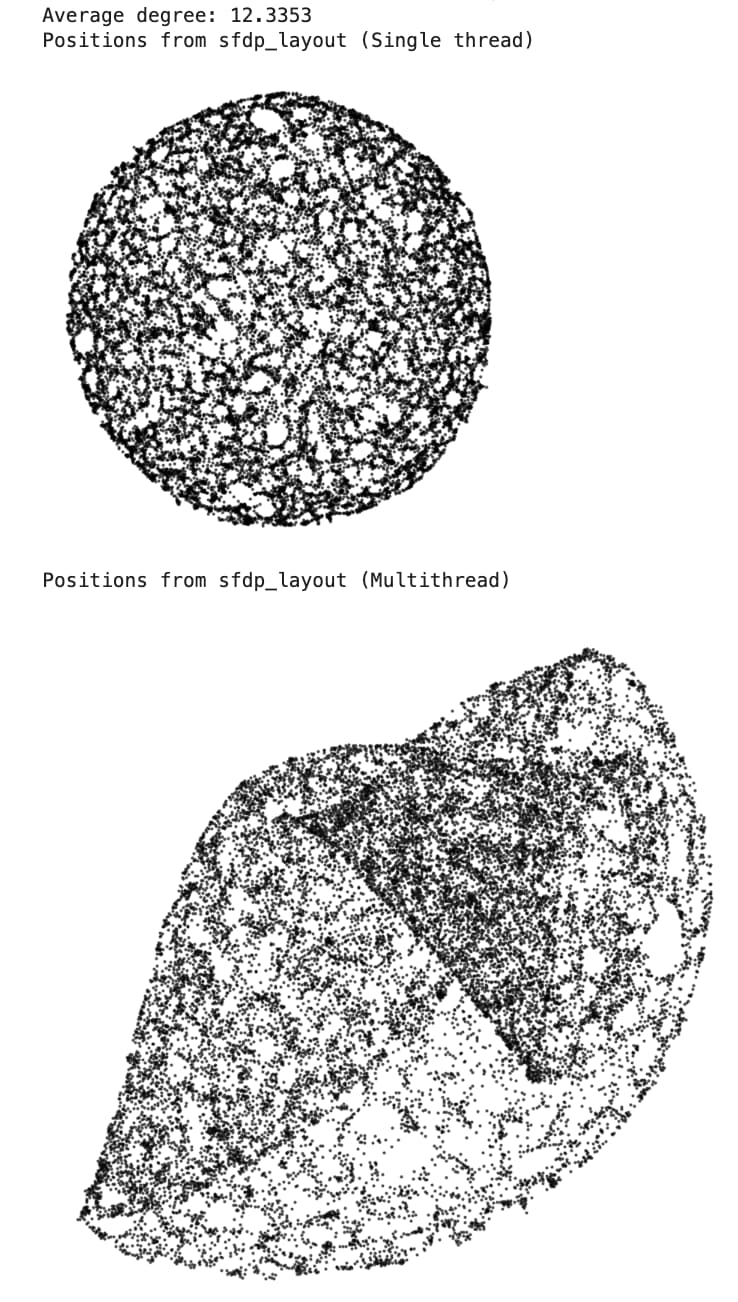
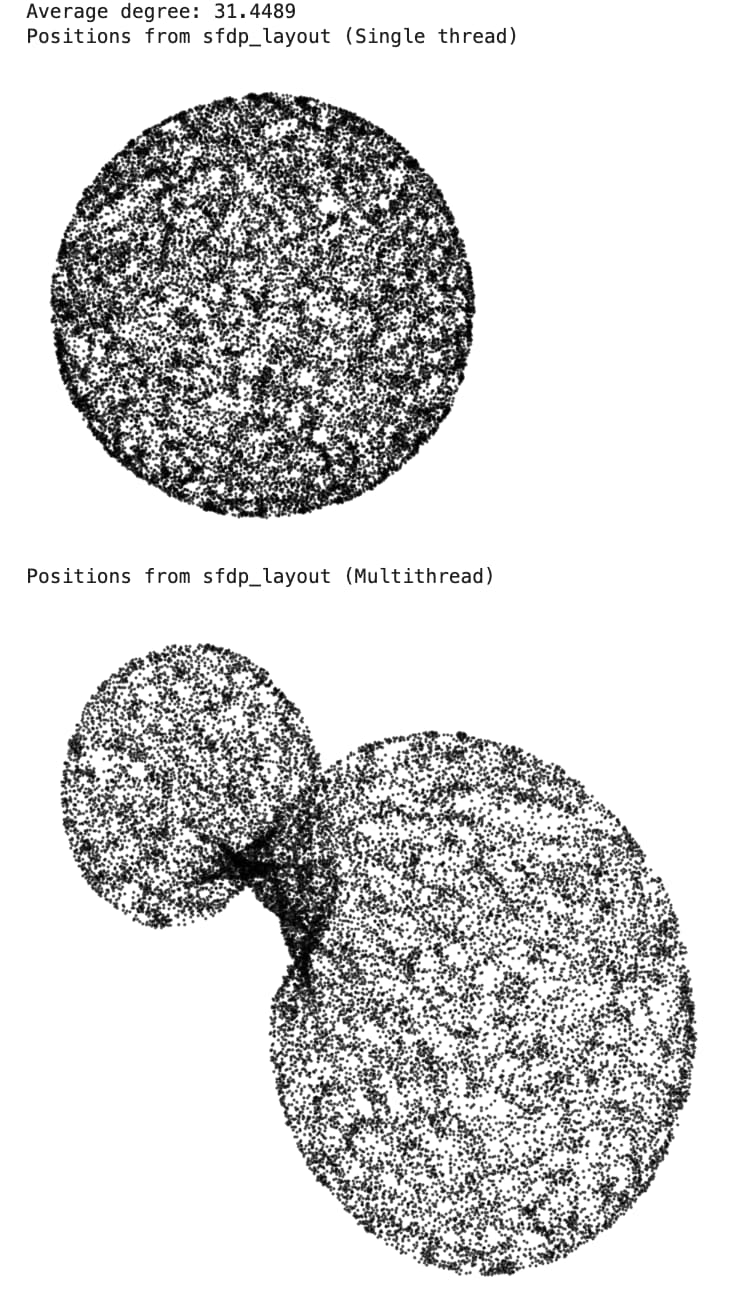
• When I run this single-threaded, the results are consistent — I always get a clean circle (independent of the initial layout, sfdp_layout parameters, as long as avg. degree is sufficient).
• When I run the exact same code, with the same initial positions/parameters, but using multithreading (14 cores on my M4), the layout ends up in a different configuration. You can notice the 2D circle but it’s often wrapped on itself. This happens consistently across graphs, parameters, and initial layouts. I only put one visual example here, but I can give more if needed.
Is this expected? From reading the code, it seems like the multithreaded and single-threaded versions should behave similarly, so I wasn’t expecting such a large divergence.
Thanks!
Minimal code example:
import graph_tool as gt
import numpy as np
from scipy.spatial import KDTree
from graph_tool.all import Graph, sfdp_layout, random_layout
import matplotlib.pyplot as plt

print("Graph Tool version: ", gt.__version__)
print("OpenMP Enabled: ", gt.openmp_enabled())

def sample_points_in_unit_disc(N):
    # Radius needs sqrt(U) to be uniform in area
    r = np.sqrt(np.random.uniform(0.0, 1.0, size=N))
    theta = np.random.uniform(0.0, 2 * np.pi, size=N)
    x = r * np.cos(theta)
    y = r * np.sin(theta)
    return np.vstack([x, y]).T


def build_graph(N, d):
    # 1) Sample positions
    points = sample_points_in_unit_disc(N)  # shape (N, 2)

    # 2) Create graph and add vertices
    g = Graph(directed=False)
    g.add_vertex(N)

    # 3) Build KDTree for neighbor queries
    tree = KDTree(points)

    # 4) For each point, find neighbors within distance d and add edges
    for i in range(N):
        neighbors = tree.query_ball_point(points[i], r=d)

        for j in neighbors:
            if j > i:
                g.add_edge(g.vertex(i), g.vertex(j))

    return g, points

def plot_positions(positions):
    X = []
    Y = []
    for i in range(len(positions)):
        X.append(positions[i][0])
        Y.append(positions[i][1])
    X = np.array(X)
    Y = np.array(Y)
    plt.figure(figsize=(4, 4), dpi=100)
    plt.xticks([])
    plt.yticks([])
    plt.box(False)
    plt.plot(X, Y, 'o', linestyle='', markersize=0.5, color='black', alpha=0.7)
    plt.show()


# Simulation parameters
N = 20000
d = 0.025

g, original_pos = build_graph(N, d)

num_vertices = g.num_vertices()
num_edges = g.num_edges()
avg_degree = 2.0 * num_edges / num_vertices
print("Graph has", num_vertices, "vertices and", num_edges, "edges.")
print("Average degree:", avg_degree)

initial_layout = random_layout(g, dim=2)

gt.openmp_set_num_threads(1)
layout = sfdp_layout(g, pos=initial_layout)
print("Positions from sfdp_layout (Single thread)")
plot_positions(layout)


gt.openmp_set_num_threads(14)
layout = sfdp_layout(g, pos=initial_layout)
print("Positions from sfdp_layout (Multithread)")
plot_circle(layout)
Output: